Quick Data Load Rule Tip

FDMEE by default shows one category per Data Load Rule. In order to view an alternate data load rule within one location, users must switch categories through the POV.

Tired of switching POVs in order to view all of the Data Load Rules?

Here’s a quick tip 🙂

[elementor-template id=”5244″]

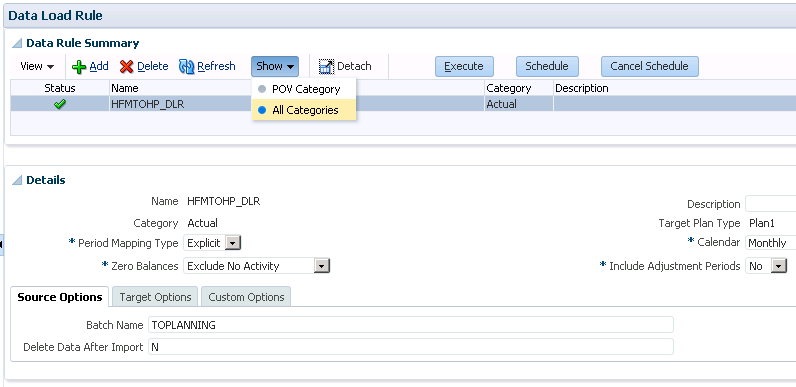
Navigate to Data Load Rule and select the Show > All Categories option. With this option, FDMEE will display all categories regardless of the category specified at the bottom of the page.
TIP

Avatar photo
About the author

About Holland Parker

HollandParker is a finance transformation consulting firm helping CFOs and finance leaders modernize their organizations with confidence. With 25+ years of experience and hundreds of successful implementations, they specialize in technology strategy, OneStream implementation, and advanced analytics — guiding finance teams through complex system changes without the guesswork.

Pre-Transformation Checklist for Finance eBook cover